5.0
Routers

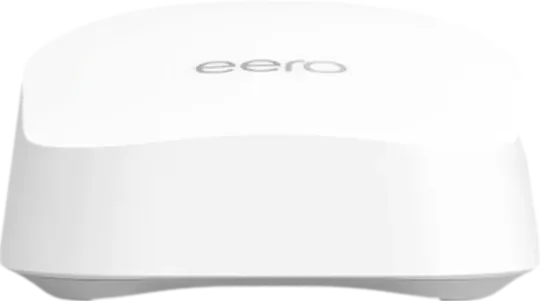
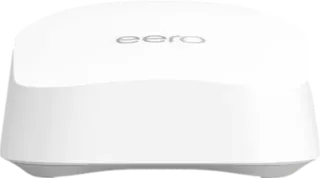
Amazon Eero 7

Write a review
Compare
Connection
  • Dual-band Wi-Fi bands
  • 1800 Mb/s Wi-Fi speed better than 42%
  • WPA3, WPA2 Wi-Fi security protocols
  • Wi-Fi 7 (802.11be), Wi-Fi 6 (802.11ax), Wi-Fi 5 (802.11ac), Wi-Fi 4 (802.11n) Wi-Fi version
Add to comparison

About the model

The Amazon Eero 7 is a mesh Wi-Fi router released in 2025. It runs Wi-Fi 7 on two bands at 1800 Mb/s and works with Wi-Fi 4, 5 and 6 devices as well.

As a mesh system, several units share one network name and pass devices between them as you move through a home. Security covers WPA3 and WPA2 encryption, a built-in firewall, SPI intrusion protection and URL filtering. It has one WAN and one LAN port, and Matter support for compatible smart-home devices.

Overview

Features
Security
Performance
General info
Why Amazon Eero 7 is better than average
  • RAM
    1 GB
    better than 79%
  • Volume
    1081.6 cm³
    better than 76%
  • Width
    130 mm
    better than 80%
  • Release date
    26 Feb 2025
    better than 97%
All specifications

Often compared with

7.1
Compare
To favorites
5.5
Compare
To favorites
6.0
Compare
To favorites
6.8
Compare
To favorites
5.4
Compare
To favorites
5.4
Compare
To favorites
6.2
Compare
To favorites
4.9
Compare
To favorites
5.0
Compare
To favorites
4.4
Compare
To favorites

General info

Specifications
LAN ports
1
WAN ports
1
Outdoor capability
No
USB ports
0
Operating power consumption
21.9 W
Release date
26 Feb 2025
Warranty period
1 years
Weight
608 g
Thickness
130 mm
Width
130 mm
Height
64 mm
External antennas
0
Removable antennas
No
Volume
1081.6 cm³

Performance

Specifications
Wi-Fi version
Wi-Fi 7 (802.11be), Wi-Fi 6 (802.11ax), Wi-Fi 5 (802.11ac), Wi-Fi 4 (802.11n)
Wi-Fi bands
Dual-band
Wi-Fi speed
1800 Mb/s
RAM
1 GB
External memory slot
No
DNS relay
Yes
Internal storage
4 GB
Total clock speed
4 × 1.1 GHz

Security

Specifications
Built-in network firewall
Yes
DoS protection
No
Wi-Fi security protocols
WPA3, WPA2
MAC address filtering
Yes
L2TP Passthrough
No
IPsec Passthrough
Yes
SPI intrusion protection
Yes
URL filter
Yes
Network Services Filter
No
Port filtering
No
Network Address Translation (NAT)
Yes
PPTP server
No
Static IP address
Yes
Parental control
Yes
PPTP Passthrough
Yes
Automatic IP
Yes

Features

Specifications
IPv6 enabled
Yes
Beamforming
Yes
Mesh Wi-Fi
Yes
Matter
Yes
MU-MIMO
Yes
VLAN tagging
Yes
WPS button
No
Dedicated smartphone app
Yes
Wireless
Yes
DLNA certification
No
Universal Plug and Play (UPnP)
Yes
Quality of Service (QoS)
No
Dynamic routing
Yes
Inter-VLAN routing
No
Network Time Protocol enabled
Yes
Static routing
Yes

Owner reviews

Share your experience with Amazon Eero 7! It takes a couple of minutes and helps others choose.
Reviews (2)
  • Ilsa O.
    4.5/10
    4.5/10
    • Value for money: 4/10
    • Ease of use: 6/10
    • Performance: 5/10
    • Reliability: 5/10
    • Build quality: 7/10
    Neat mesh, but plenty of compromises
    Bought it because I needed mesh for a two-floor house. The signal is even all the way to the back room. But it's 1800 Mb/s dual band only and there's just one LAN port, so I had to add a switch for the PC and TV. The app is nice to use and parental control is tidy. But almost every setting is locked in the app, even turning off the LED has to go through the phone. A friend uses a TP-Link AX5400, cheaper and with four ports. So if it weren't for Matter and the small shape, I might have traded it in already.
    Pros
    • app is easy to use
    • mesh signal is even on both floors
    Cons
    • only one LAN port
    • no 6 GHz
    • settings locked in the app
  • mateo1997
    8/10
    8/10
    • Value for money: 7/10
    • Ease of use: 9/10
    • Performance: 8/10
    • Reliability: 8/10
    • Build quality: 8/10
    Good mesh, few ports
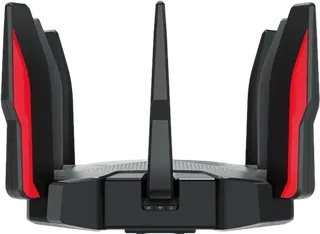
    Three months with two Eero 7 units covering 78 m² in Pereira on 500 Mbps fiber, and the network hasn't dropped once. Before, I had a single TP-Link AX5400 and the back room only got 40 Mbps; now with the secondary node over Ethernet I get 480-500 across the whole house, and about 320 over Wi-Fi in that same room. I compared a lot before buying: the Archer GX90 has 2.5G ports and USB, the Asus RT-AXE7800 has a 6 GHz band, the Synology WRX560 has more ports and finer VLAN control, and the Eero Pro 7 is tri-band but costs almost double. I ended up with the Eero 7 for three concrete reasons: Matter for the bulbs and the room plug, parental controls with per-device schedules (my 9-year-old puts the tablet down at 8:30 and that's that), and the app, which is the simplest I've used for managing guests and seeing which device is eating bandwidth. The 1 GB of RAM and 4 GB of internal storage don't stand out day to day, but with 22 devices connected (two 4K TVs, a console, three laptops, cameras, a smart fridge) bufferbloat stays low and Teams calls don't cut out even when someone is watching Netflix. WPA3 and the SPI firewall are on by default, and I rarely use URL filtering because the parental controls already do the job. What did annoy me: only one LAN port, so you need a switch if you want to wire two things; no USB, so forget about a printer or a network drive; and although it says Wi-Fi 7, it's dual-band, so the 7 only helps on 5 GHz with compatible devices, and there's no 6 GHz like on the Asus. For my use case (remote work, streaming, IoT and an apartment with concrete walls) the choice paid off. It's not the fastest router out there, it's just the one that makes me think the least tbh :D
    Pros
    • Stable mesh with two nodes, no drops in three months
    • Very clear app for guests and scheduled parental controls
    • Matter and VLAN working without fighting the setup
    Cons
    • Only one LAN port, need a separate switch
    • No USB for a printer or drive
    • Dual-band: Wi-Fi 7 only on 5 GHz, no 6 GHz
    • High price compared with the AX5400