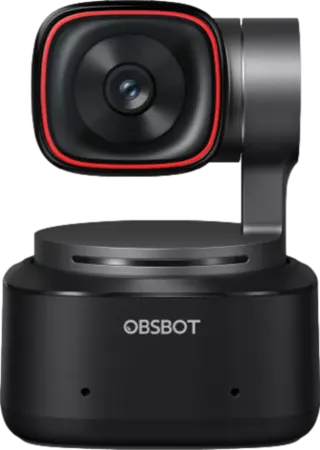
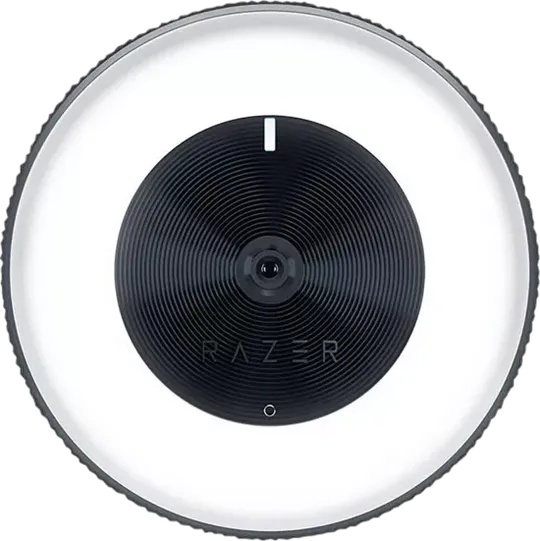
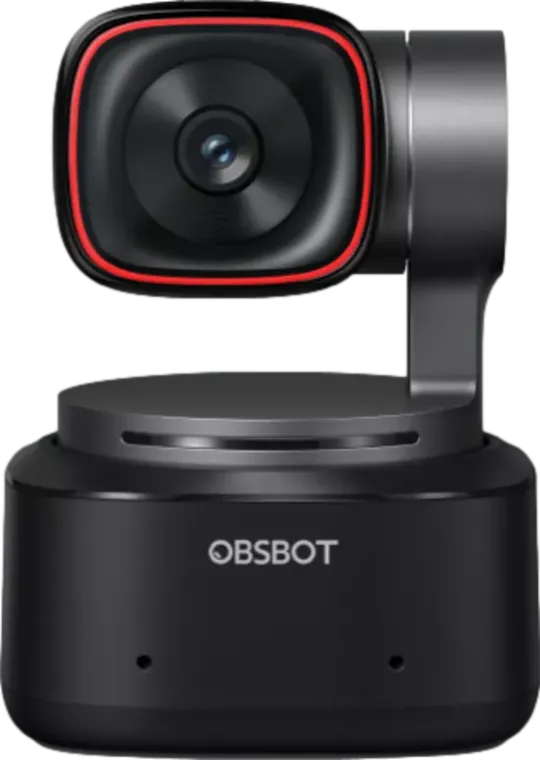
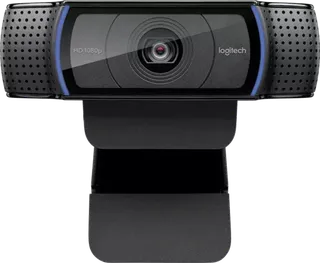
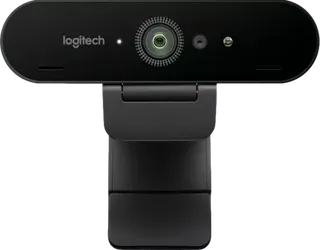
Razer Kiyo vs Obsbot Tiny 2: which is better?

Add a third product

Winner: Obsbot Tiny 2

Wins 5 of 5 areas

Who should buy the Kiyo?

  • Lower price

Who should buy the Tiny 2?

  • Stronger videography
  • Stronger optics
  • Video recording: 2160 × 30 fps

Who leads by area

Area score out of 100: how close each product is to the best value in every spec, weighted by how much buyers care.

KiyoTiny 2
  • 80 Design 97
  • 61 Videography 100
  • 54 Optics 100
  • 86 Audio 100
  • 93 Connectivity & Features 99
  • Video recording Important
    Kiyo1080 × 30 fps Tiny 22160 × 30 fps
    ×2 vs Kiyo
  • Weight
    Kiyo300 g Tiny 2143.3 g
    −156.7 g vs Kiyo
  • Privacy shutter
    KiyoNo Tiny 2Yes
  • HDR mode
    KiyoNo Tiny 2Yes
  • Adjustable field of view
    KiyoNo Tiny 2Yes
  • Field of view
    Kiyo81.6° Tiny 285.5°
    +3.9° vs Kiyo

Best prices

Prices are updated daily and may differ from the shop. We may earn a commission from purchases.

Razer Kiyofrom $49.00
Obsbot Tiny 2from $229

Overview

Why is it better?
Razer Kiyo wins in 2 specs
  • Video light
    Yes
    vs No
  • Compatible with iOS
    Yes
    vs No
Obsbot Tiny 2 wins in 15 specs
  • Video recording
    2160 × 30 fps
    vs 1080 × 30 fps
  • Weight
    143.3 g
    vs 300 g
  • Privacy shutter
    Yes
    vs No
  • HDR mode
    Yes
    vs No
  • Adjustable field of view
    Yes
    vs No
  • Field of view
    85.5°
    vs 81.6°
  • Megapixels (main camera)
    50 MP
    vs 4 MP
  • Auto light correction
    Yes
    vs No
All specifications side by side
Razer Kiyo
Razer Kiyo
Razer
from $49.00
Obsbot Tiny 2
Obsbot Tiny 2
Obsbot
from $229
Winner
Comparexo score
4.6
Overall score
9.8
Winner
Design
Videography
Optics
Audio
Connectivity & Features
7.7 points
1.9 points
2.6 points
4.5 points
3.1 points
8.5 points
7.7 points
7.2 points
5.0 points
6.6 points

Imaging

What matters most

No differences in this section

Megapixels (main camera)
4 MP
50 MP

Design

Specifications

No differences in this section

Privacy shutter
No
Yes
Indicator light
Yes
Yes
Tripod mount
Yes
Yes
Video light
Yes
No
Motion sensor
No
No
Warranty period
1 years
Unknown
Maximum operating temperature
Unknown
40 °C
Lowest potential operating temperature
Unknown
0 °C
Thickness
47 mm
44 mm
Height
69 mm
62.02 mm
Weight
300 g
143.3 g
Width
69 mm
47 mm

Videography

Specifications

No differences in this section

Auto light correction
No
Yes
Continuous autofocus for movies
Yes
Yes
Field of view
81.6°
85.5°
Adjustable field of view
No
Yes
Vertical video recording
Unknown
No
Live streaming
Unknown
Yes
HDR mode
No
Yes
Video recording
1080 × 30 fps
2160 × 30 fps

Optics

Specifications

No differences in this section

Megapixels (main camera)
4 MP
50 MP
Glass lens
Yes
Yes
Damage-resistant glass
No
Unknown
CMOS sensor
No
Yes
Sensor size
Unknown
6.4 × 4.8 mm

Audio

Specifications

No differences in this section

Noise-canceling microphone
Unknown
Yes
Built-in microphone
Yes
Yes
Number of microphones
1
2
Stereo microphone
Yes
Unknown
Built-in speaker
No
No

Connectivity & Features

Specifications

No differences in this section

Release date
20 Oct 2017
15 Mar 2023
Gesture control
Unknown
Yes
USB Type-C
No
Yes
Cable length
1.5 m
Unknown
Detachable cable
Yes
Yes
Compatible with Android
No
Yes
Compatible with Chrome OS
No
No
Compatible with iOS
Yes
No
Compatible with Mac OS X
Yes
Yes
Bluetooth
Unknown
No
HDMI output
No
No
3.5mm audio jack
No
No
Is compatible with Windows
Yes
Yes

Miscellaneous

Specifications

No differences in this section

Supports a remote smartphone
Unknown
No
Has a remote control
Unknown
Yes
Wide aperture
Unknown
1.9 f
Has voice commands
Unknown
Yes

Winner: Obsbot Tiny 2

9.8

Obsbot Tiny 2 is better in 5 of 5 areas: it leads on the specs buyers care about most, and by a wider margin.

Video recording ×2

2160 × 30 fps vs 1080 × 30 fps

Weight −156.7 g

143.3 g vs 300 g

Privacy shutter

Yes vs No

HDR mode

Yes vs No

Adjustable field of view

Yes vs No

Field of view +3.9°

85.5° vs 81.6°

Megapixels (main camera) ×12.5

50 MP vs 4 MP

Auto light correction

Yes vs No