7.0
Wi-Fi extenders

TP-Link RE705X

Write a review
Compare
Connection
  • Dual-band Wi-Fi bands
  • Yes Beamforming
  • WPA2, WPA, WEP Wi-Fi security protocols
  • Wi-Fi 6 (802.11ax), Wi-Fi 5 (802.11ac), Wi-Fi 4 (802.11n) Wi-Fi version
Add to comparison

About the model

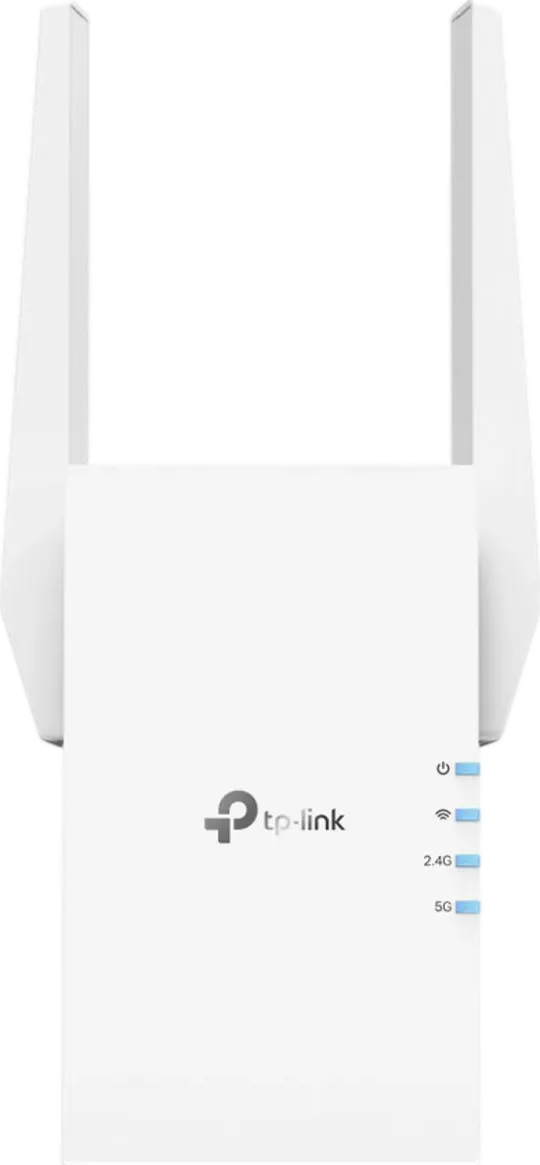
The TP-Link RE705X is a dual-band Wi-Fi extender released in 2023. It handles Wi-Fi 6, Wi-Fi 5 and Wi-Fi 4 and reaches speeds up to 3000 Mb/s, useful when streaming or video calls stutter at range.

Beamforming and MU-MIMO steer the signal toward connected devices and split bandwidth between them. Two external antennas stand 158 mm tall, and a single LAN port lets you wire one device. Setup runs through the app or the WPS button, and it joins a mesh network. Power consumption is 12.6 W.

Overview

Design
Features
General info
Why TP-Link RE705X is better than average
  • Wi-Fi speed
    3000 Mb/s
    better than 72%
  • External antennas
    2
    better than 73%
  • Release date
    9 Aug 2023
    better than 75%
All specifications

Often compared with

9.1
Compare
To favorites
7.5
Compare
To favorites
7.4
Compare
To favorites
7.4
Compare
To favorites
6.9
Compare
To favorites
6.9
Compare
To favorites
7.1
Compare
To favorites
6.8
Compare
To favorites
6.6
Compare
To favorites
6.7
Compare
To favorites

General info

Specifications
Wi-Fi version
Wi-Fi 6 (802.11ax), Wi-Fi 5 (802.11ac), Wi-Fi 4 (802.11n)
Wi-Fi speed
3000 Mb/s
Wi-Fi bands
Dual-band
Release date
9 Aug 2023
Operating power consumption
12.6 W
LAN ports
1

Features

Specifications
MU-MIMO
Yes
Mesh Wi-Fi
Yes
Beamforming
Yes
Wi-Fi security protocols
WPA2, WPA, WEP
Dedicated smartphone app
Yes
WPS button
Yes

Design

Specifications
External antennas
2
Height
158 mm
Width
97 mm
Thickness
46 mm
Volume
705 cm³

Owner reviews

Share your experience with TP-Link RE705X! It takes a couple of minutes and helps others choose.
Reviews (1)
  • Emiliano G.
    8/10
    8/10
    • Value for money: 8/10
    • Ease of use: 9/10
    • Performance: 7/10
    • Reliability: 8/10
    • Build quality: 8/10
    Works for the back room, with a catch
    I've had this extender for about three months and picked it up for 1,900 pesos on a promo, mostly because the modem signal in my work room was hitting 60 Mbps and Zoom meetings kept cutting out. Setup with the Tether app took me around ten minutes and I didn't have to touch anything on the main router, I just placed it halfway up the hallway wall, and WPS paired on the first try with my wife's phone... On 5 GHz it now shows between 280 and 350 Mbps on the 500 plan, the iPhone connects on Wi-Fi 6 without a problem, and that's more than enough for work and Netflix in 4K. What does bug me is that it only has one LAN port, so I had to pick between connecting the printer or the TV in the room, not both. And in the farthest room, with two walls in between, speed drops to around 90 Mbps, so don't expect magic either.
    Pros
    • The app walks you through step by step with no fuss
    • Good 5 GHz speed close to the unit
    • Got along fine with the provider's router
    Cons
    • Only one LAN port
    • Loses a lot of speed with two walls in between
    1 reply
    • José Carlos G.
      @Emiliano G. did you use the LAN port for the TV or for the computer, and with a cable do you get the same speed as on 5 GHz? 🤔