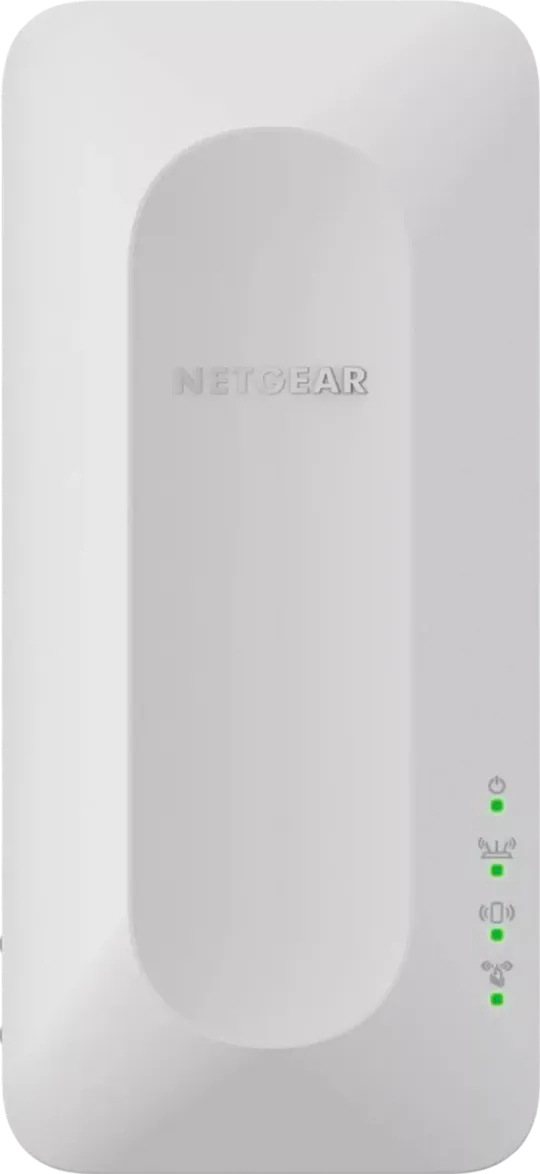
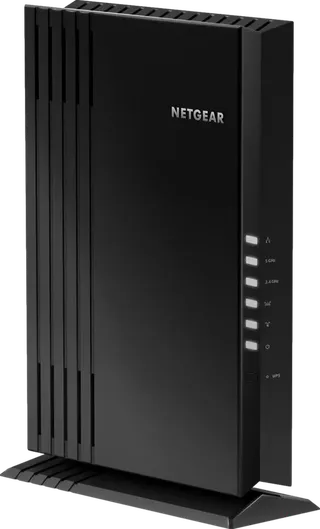
Netgear EAX14
Write a review
Compare
Connection
  • Dual-band Wi-Fi bands
  • Yes Beamforming
  • WPA3, WPA2, WPA, WEP Wi-Fi security protocols
  • Wi-Fi 6 (802.11ax), Wi-Fi 5 (802.11ac), Wi-Fi 4 (802.11n) Wi-Fi version
Add to comparison

About the model

The Netgear EAX14 is a dual-band Wi-Fi extender released in 2023. It supports Wi-Fi 6 and also connects Wi-Fi 5 and Wi-Fi 4 devices, with a combined speed of 1800 Mb/s. Beamforming and MU-MIMO direct the signal toward connected devices and share capacity among several at once.

It works in a mesh setup, has one LAN port and a WPS button, and measures 149 mm high, 68.4 mm wide and 52 mm deep. Setup runs through a phone app; power draw is 12 W.

Overview

Design
Features
General info
Why Netgear EAX14 is better than average
  • Width
    68.4 mm
    better than 84%
  • Release date
    1 Jul 2023
    better than 75%
All specifications

Often compared with

9.3
Compare
To favorites
7.2
Compare
To favorites
9.1
Compare
To favorites
8.5
Compare
To favorites
8.5
Compare
To favorites
6.8
Compare
To favorites
6.8
Compare
To favorites
7.6
Compare
To favorites
7.5
Compare
To favorites
8.1
Compare
To favorites

Netgear EAX14 prices

Prices are updated daily and may differ from the shop. We may earn a commission from purchases.

General info

Specifications
Wi-Fi version
Wi-Fi 6 (802.11ax), Wi-Fi 5 (802.11ac), Wi-Fi 4 (802.11n)
Wi-Fi speed
1800 Mb/s
Wi-Fi bands
Dual-band
Release date
1 Jul 2023
Operating power consumption
12 W
LAN ports
1

Features

Specifications
MU-MIMO
Yes
Mesh Wi-Fi
Yes
Beamforming
Yes
Wi-Fi security protocols
WPA3, WPA2, WPA, WEP
Dedicated smartphone app
Yes
WPS button
Yes

Design

Specifications
External antennas
0
Height
149 mm
Width
68.4 mm
Thickness
52 mm
Volume
529.96 cm³

Owner reviews

Share your experience with Netgear EAX14! It takes a couple of minutes and helps others choose.
Reviews (3)
  • Jason Marks
    9/10
    9/10
    • Value for money: 9/10
    • Ease of use: 8/10
    • Performance: 9/10
    • Reliability: 8/10
    • Build quality: 8/10
    The second unit is what the first one should've been
    Picked one up at Best Buy. The first unit lost the 5 GHz radio every couple hours, and re-pairing it in the app was a pain. Swapped it out. The replacement has run 11 days straight, no drops, no reboot :) On my 500/20 cable line I get about 480 Mb/s down at 15 feet through one interior wall. 2.4 GHz tops out near 190 Mb/s. The 12 W spec is close to what my meter shows, so the case is barely warm even after an evening of streaming. Two things I'd change: the single LAN port and the zero external antennas. Putting it in a hallway outlet did more than any setting in the app.
    Pros
    • 480 Mb/s down through one wall on a 500 Mb line
    • runs cool, real draw close to the rated 12 W
    • WPS pairing took under a minute
    Cons
    • just one LAN port
    • no external antennas, outlet position matters a lot
  • Gambira W.
    5/10
    5/10
    • Value for money: 4/10
    • Ease of use: 7/10
    • Performance: 6/10
    • Reliability: 5/10
    • Build quality: 6/10
    One replacement unit, result is just average
    Picked this up early this month at my regular computer shop in Surabaya. The first unit after two days had a loose LAN port and the 5 GHz indicator LED was completely dead, so I took it back and got a replacement without any price deduction. The second unit has been running three weeks and is stable, but the 1800 Mb/s figure, is just the two bands combined; on my phone 5 GHz gets 560 to 640 Mb/s at 4 m with no obstruction and 2.4 GHz around 150 Mb/s, so don't expect the number on the box. One LAN port is enough if it's only for a smart TV, but once you want NAS too it feels insufficient right away. The 12 W consumption matches my wattmeter, around 8 to 11 W, so it really doesn't get hot and is safe in a narrow outlet. There are no external antennas, so outlet position matters a lot; I had to move from an outlet near the floor to one at 1.5 m high before the signal to the back room improved. The Netgear app is enough for WPS setup and checking the device list, but for mesh with the main router its features are shallow next to the TP-Link RE235BE, which is cheaper and has two LAN ports; WPA3 works normally, the plastic build quality is standard, and at this price I still feel I'm paying for the brand name
    Pros
    • WPA3 and WPS work without issues
    • low power draw, doesn't get hot
    • initial setup through the app is quick
    Cons
    • first unit was defective, had to exchange it
    • 1800 Mb/s is just a combined two-band number
    • only one LAN port
    • mesh features are shallow next to TP-Link RE235BE
  • zeljko_t
    9/10
    9/10
    • Value for money: 9/10
    • Ease of use: 9/10
    • Performance: 9/10
    • Reliability: 8/10
    • Build quality: 8/10
    Swapped it first, happy afterwards
    The first EAX14 from MediaMarkt in Stuttgart had a loose LAN port after two days, every cable had to renegotiate, so I took it back and got a swap with no fuss. The replacement has been sitting in the hallway for four weeks now and pushes a steady 720 to 780 Mb/s on 5 GHz at 80 MHz, 2.4 GHz stays at 180 to 200 Mb/s, and the 12 W from the datasheet reads more like 9 to 11 W on average at the meter, the case barely gets warm to the touch. Beamforming and MU-MIMO only show up once three clients stream at the same time, the ping then holds at 8 to 12 ms instead of jumping, only the single LAN port and the missing external antennas bug me when I actually need a cable or have to move it
    Pros
    • real 5 GHz throughput of 720-780 Mb/s
    • measured 9-11 W instead of the 12 W on the datasheet
    • MU-MIMO keeps the ping down during parallel streams
    Cons
    • just one LAN port
    • first unit was faulty, a swap was needed
    • no external antennas, so placement decides