2.9
Mice

Logitech M340

Write a review
Compare
Key specs
  • 120 Hz Polling rate better than 13%
  • 2.4GHz wireless, Bluetooth Connection type
  • 12,960 hours Battery life better than 95%
  • 80.8 g Weight better than 55%
Add to comparison

About the model

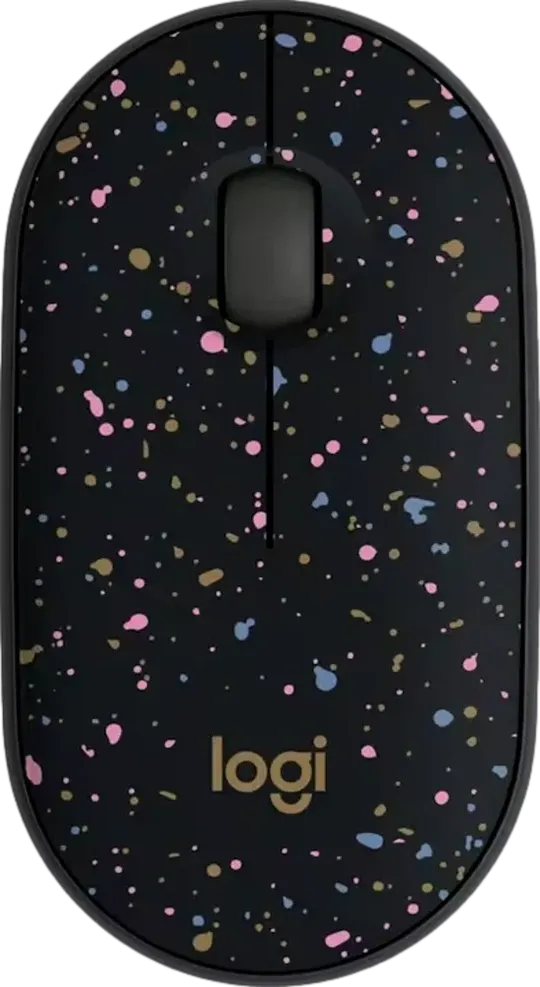
The Logitech M340 is a wireless mouse released in 2023 for everyday productivity use, with an ambidextrous body that fits either hand. It connects over Bluetooth or a 2.4 GHz wireless link, so it works with a laptop directly or through a receiver.

The sensor is fixed at 1000 DPI, a speed suited to document work, spreadsheets and browsing. Battery life is listed at 12960 hours, the batteries are removable, and the mouse weighs 80.8 g with three buttons and no side controls.

Overview

Design
Buttons
Performance
General info
Why Logitech M340 is better than average
  • Battery life
    12,960 hours
    better than 95%
  • Thickness
    26.5 mm
    better than 99%
  • Height
    106.7 mm
    better than 83%
  • Width
    58.7 mm
    better than 86%
All specifications

Often compared with

10.0
Compare
To favorites
9.0
Compare
To favorites
7.6
Compare
To favorites
6.7
Compare
To favorites
7.7
Compare
To favorites
7.4
Compare
To favorites
6.8
Compare
To favorites
6.5
Compare
To favorites
8.5
Compare
To favorites
8.1
Compare
To favorites

Performance

Specifications
Polling rate
120 Hz
Maximum DPI
1000 DPI
Minimum DPI
1000 DPI
Adjustable DPI
Yes

General info

Specifications
Type
Productivity
Connection type
2.4GHz wireless, Bluetooth
Onboard memory profiles
0
Gesture support
No
Battery life
12,960 hours
Removable battery
Yes
Warranty period
1 years
Release date
1 May 2023

Buttons

Specifications
Number of buttons
3
Number of side buttons
0
Number of programmable buttons
0
DPI switching button
No
Profile switching button
No

Design

Specifications
Orientation
Ambidextrous
Weight
80.8 g
RGB lighting
No
Tilting scroll wheel
No
Thumb scroll wheel
No
Tuning weights included
No
Thickness
26.5 mm
Height
106.7 mm
Width
58.7 mm
Size class
Small

Owner reviews

Share your experience with Logitech M340! It takes a couple of minutes and helps others choose.
Reviews (2)
  • Jennifer
    8/10
    8/10
    • Value for money: 8/10
    • Ease of use: 9/10
    • Performance: 6/10
    • Reliability: 8/10
    • Build quality: 7/10
    Swapped out a dying travel mouse, no regrets
    started on a cheap generic Bluetooth mouse; the scroll wheel died after eight months. I wanted something boring and dependable for a work laptop, so I picked up the M340 at Officeworks for 39 AUD. Tested it in the store first. Pairing took ten seconds. Bluetooth on the laptop, with the 2.4 dongle kept in my bag as backup. Switching between the two is one button press, no re-pairing. That's what won me over.

    The shape is ambidextrous, so my left-handed husband can use it too. With the AA installed it's 80 grams, sits stable on the desk and doesn't tip like the tiny travel mice. I measured it against the old one: 106 mm long and 58 wide, so it fills my palm instead of leaving my fingers hovering. Clicks are quiet enough for the office.

    DPI is fixed at 1000. It won't go higher, so there's no 1600 for the 27 inch screen. I adjusted in a week. Fine for spreadsheets and email. For photo editing it's a bit slow and I end up dragging more.

    The 120 Hz polling is the honest weak point. It feels slow, noticeable when I flick across two monitors. Not a dealbreaker for work.

    Battery still has the original AA after five months of daily use, 8 hour days. The claim is 12960 hours; I won't test that, but it's clearly not a weekly recharge situation.

    No side buttons. I miss back-page. I'm used to it now, but if you spend all day in a browser, think about that.

    Warranty is only one year. Logitech usually gives two. Check that before buying. Mine has been solid so far.
    Pros
    • one AA lasts months
    • ambidextrous and works over both connections
    • quiet clicks and a solid 80 g feel
    Cons
    • 1000 DPI is fixed, no higher option
    • 120 Hz polling feels slow on quick moves
    • no side buttons
    • warranty is only one year
  • Marcel K.
    5/10
    5/10
    • Value for money: 7/10
    • Ease of use: 8/10
    • Performance: 5/10
    • Reliability: 7/10
    • Build quality: 6/10
    Three buttons and 1000 DPI, but it does the job
    Picked it up on sale at RTV Euro. Been on BT with the office laptop for six months. For Excel and browser clicking it's plenty, imo. Only the 120 Hz shows on fast moves on a big monitor 🙄 Battery is a joke in a good way: one AA has been in since I bought it and still shows full. No side buttons hurts when going back in the browser, but I use it on both sides, so the left hand does the same. At this price, nothing to moan about
    Pros
    • Battery lasts months
    • Symmetrical shape, works in both hands
    • Pairs with two devices without fuss
    Cons
    • 120 Hz shows on fast moves
    • No side buttons at all
    • 1000 DPI is the ceiling, can't go higher